
I don’t often take much notice of the incremental updates to my design apps, even the ones which include big tool or workflow additions that I then find myself relying on heavily. Even when I do sit up and take note – as I did when Photoshop added the Generative Expand option – my enthusiasm tends to be restricted to a quick “Have you seen this?” to the person sitting nearest to me. Then I move on with my life.
But one recent addition to Photoshop Beta has been living rent free in my head (as the kids say…). And that’s because it has the potential to completely upend a long-standing concern, and frustrated gripe, of graphic designers everywhere.
I’ve been a designer since the very early 2000s, with experience of Photoshop stretching back earlier than that, to version 4! Working with photos supplied by customers, a regular request would be something along the lines of: “Can you just turn Uncle Fred round a bit so he’s facing the camera?” or “Could we see the building more from the front?”. These weren’t requests for removing objects, or dropping new elements into a scene – this was about fundamentally changing angles and perspective within a flat image.
Explaining this limitation to a client could be a difficult conversation. We can scale things, crop them, remove them, recolour them. Why not rotate them? This is what clients, and the broader public, has believed Photoshop was capable of for the last two decades.
The big change
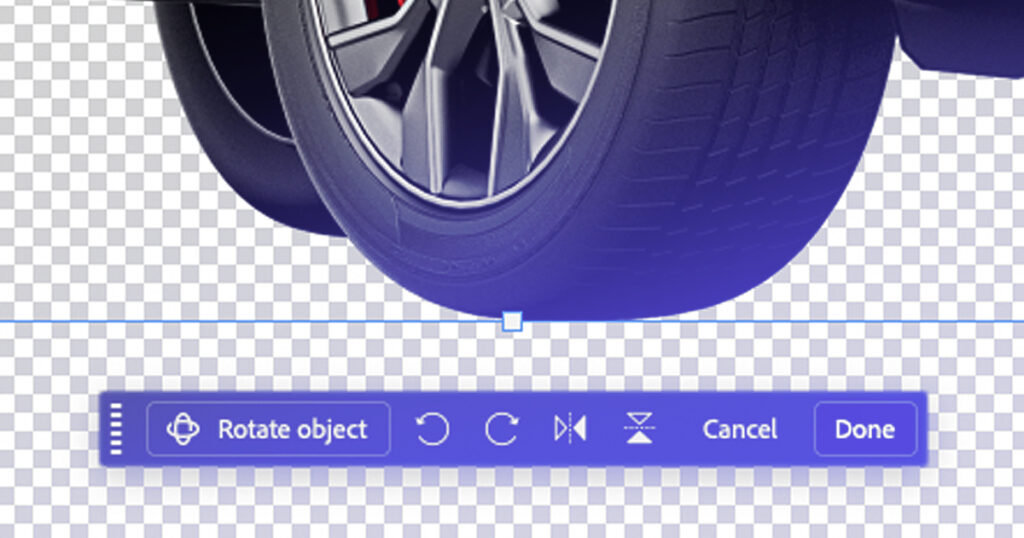
In the latest beta of Photoshop, Adobe has introduced the ability to rotate objects within a scene, with perspective, lighting and shadows adjusting to match. It feels a bit like witchcraft, especially for any designer who has had to have those conversations with clients.
And I was sceptical going into testing the process. I’d been initially awestruck by Adobe’s earlier similar tool in Illustrator, called Turntable. I love working in Illustrator and often use for it vector character work. But using Turntable was a bit of a disappointment. The results just weren’t very good. It felt like a curiosity, or something that needed very specific data to work correctly. Something that might develop over future iterations, but wasn’t a tool I was going to be able to leverage at the moment.
Rotate Object in Photoshop is different. I tested it on a current project, using imagery that would normally have been borderline unusable for the layout I had in mind. I’m not going to say it was perfect, but it is still amazing, and created results that I just wasn’t expecting.
Photoshop Beta is a playground for interesting and exciting new tools that are addressing long-standing issues for designers. Ones that, in previous years would have required hours of painstaking editing work. Generative Expand and Reflection Removal are great additions that seriously reduce editing time and improve image output. But Rotate Object (coupled with the equally impressive Harmonize tool) is something more than that. It changes how we respond to and work with client-supplied imagery and aligns the software, as well as the designer’s capability, much closer to the client’s expectation.
Obviously, this isn’t just about dealing with client photos; this is a powerful tool that can be used in any number of scenarios, And it is worth saying that this does not remove the need for good source imagery. There will always be limits; complex scenes, awkward lighting, occlusions, all the things that make images feel real. There is also a broader conversation around authenticity and where these kinds of tools should, and should not, be used. So this is not a free pass to “fix everything in post”.
However, this particular issue has been my go-to complaint as a designer for decades. It looks like Adobe has finally done away with it.
Now I’ll need to find something else to gripe about.